
Synergy SPC Software Setup and Implementation
Software Install (Estimated time: 15-20 min.)
With Synergy SPC software you have the option to install on a server or locally on workstations. If the software is installed on the server, just simply create a shortcut to the applicable exe file(s). No client
install is required. Since the software is a flat file system, minimal if any IT support will be needed. To install the software simply place the CD into the workstation and follow the setup screens.
File Organization
The first thing to consider before creating any files is how to best organize your data files for easy access.
You can create as many folders and subfolders needed to facilitate navigation by operators to locate data
files.
Critical Characteristics
You need to determine what specific data you will be collecting and if your focus will be on product or process. You will need to determine which type of Control Chart will best fit your needs, your sample size
or subgroup and your customer specifications
File Creation ((Estimated time: 2-3 min. for each characteristic)
To create data files:
- Launch either the Synergy 1000 or Synergy 2000 Engineer Level.
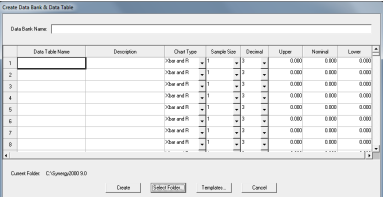
- From the File menu select Create Data Bank and Data Tables.
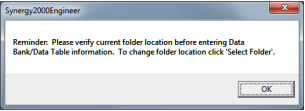
- A notification window opens reminding you to select the file folder where you want your data files
saved. Click OK.
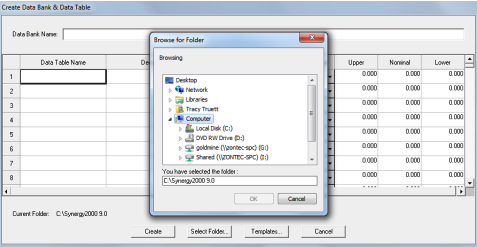
4. Click Select Folder to navigate to the file folder in which your data files will be stored. Click OK
- Enter Data Bank Name (product or process)
- Enter Data Table Name (characteristic being monitored)
- Enter Data Table Description (should at least contain Data Table Name)
- Select Chart Type (Xbar & R, Xbar & S, Median & R)
- Select Sample Size (1-25 *sample size can vary per characteristic)
- Select Decimal (0-6 how many decimal places you will be measuring out to)
- Enter specification limits (Upper, Nominal, Lower)
- Repeat steps 6-11 for additional characteristics.
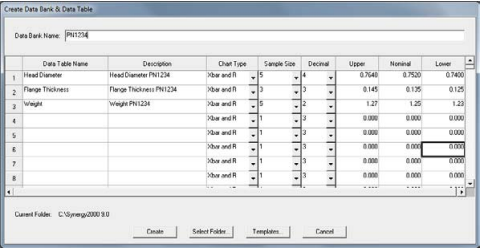
- Click Create.
- A notification window opens verifying you want to create the files. Click Yes.
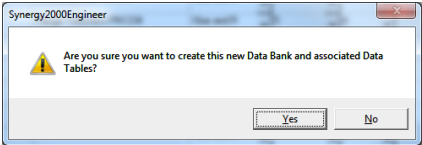
15. Your files are created and data entry can begin
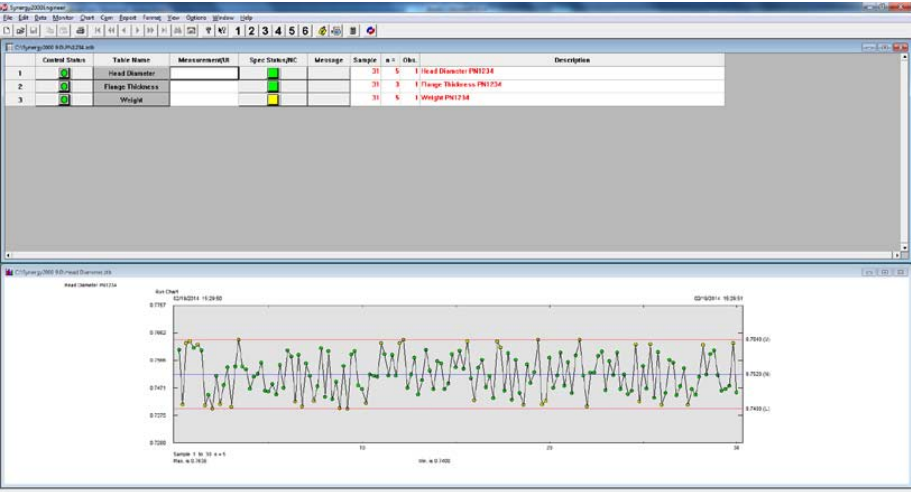
Rapid implementation is a key benefit of Synergy SPC software. In just 30-45 minutes you can begin monitoring and then start controlling, evaluating and analyzing a process. This application not only offers powerful SPC features, but is also easy to use. Synergy workshops, a 1-day training course, are available in-house at our Cincinnati, OH location or on-site at your facility. On-line training options are also available in 45 min modules.